Somewhere in your company today, a rep typed a competitor's name into Claude or ChatGPT and asked how to beat them. The answer came back fluent, confident, and assembled from whatever the model last saw on the open web: a pricing page from two years ago, a review that was about a different product, a feature the competitor deprecated. The rep used it on a call. This is the problem an MCP context layer exists to solve, and this post explains what one is, what it should expose, what to look for when a vendor offers one, and how to connect a competitive intelligence workspace to your assistant in minutes.
What MCP is, in one paragraph
The Model Context Protocol is an open standard for connecting AI applications to external systems. Its own documentation describes it as "a USB-C port for AI applications": an assistant such as Claude, ChatGPT, Cursor, or Windsurf connects to a server once, and from then on the assistant can call that server's tools to read data or take actions. A competitive intelligence platform that ships an MCP server is therefore letting your assistant read your workspace, in your assistant's own interface, instead of you copying and pasting battlecards into a chat window.
Why the ungrounded assistant is a liability for competitive work
General assistants are good at prose and bad at provenance. Asked about a competitor, they produce an answer without a source, a date, or a way to tell which part is remembered and which part is invented. Competitive claims are exactly the kind of fact that changes quarterly and costs a deal when wrong: a price, a plan limit, a feature, a customer logo. The fix is not a better prompt. It is giving the assistant something sourced to read, and making it show where each claim came from. That is the whole job of a context layer: the intelligence lives in a governed workspace with citations and dates, and the assistant reads it through a narrow, logged interface.
What a CI context layer should expose
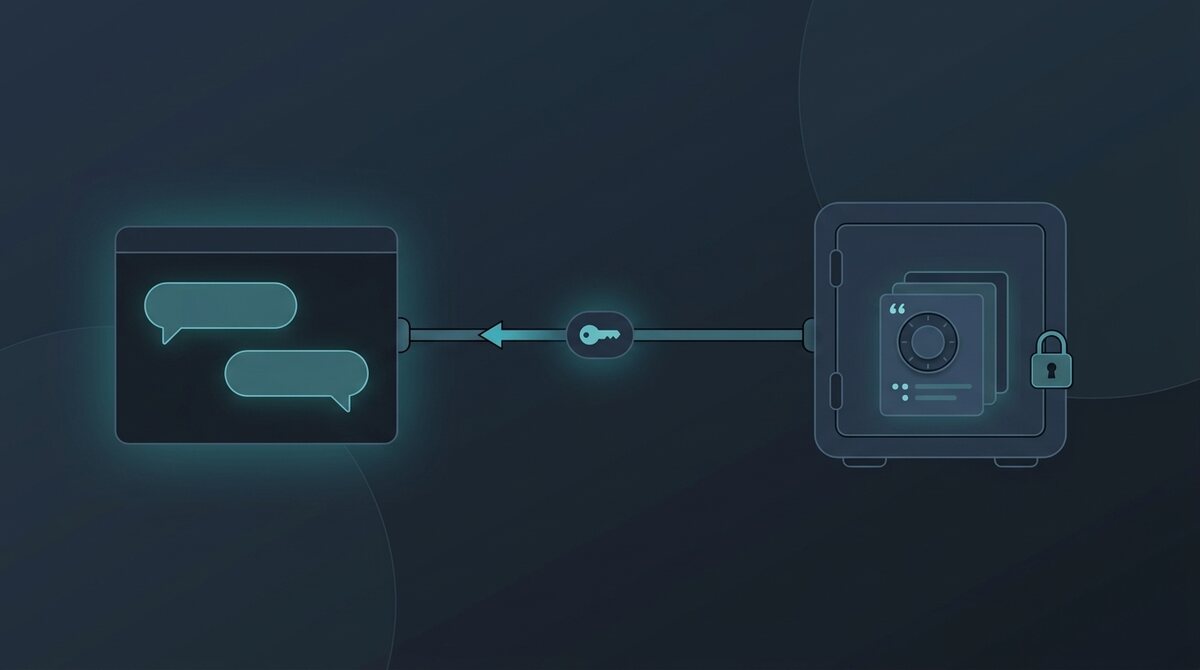
Here is what the KeystoneIQ Context Layer serves, as a concrete example of the shape. It is a read-only MCP server with nine tools, and the full reference is in the docs.
| Tool | What the assistant gets | Plan |
|---|---|---|
list_competitors | The competitors the workspace tracks, so the assistant learns valid names before asking for anything else | Starter+ |
search_intelligence | Semantic plus keyword search over the workspace corpus: competitor sites, news, reviews, call mentions, filings, uploaded documents. Each result carries source type, timestamp, corroboration count, and freshness | Starter+ |
get_latest_brief | The most recent weekly brief, with citation markers | Starter+ |
get_brief | One brief by id: weekly, deep-research, or meeting brief (deal briefs need Growth) | Starter+ |
get_facts | One current value per attribute for a competitor (pricing, headcount, funding, ratings, filings) with effective date, confidence, corroboration, and any open conflicts between sources | Starter+ |
get_battlecard | The live battlecard: positioning, strengths and weaknesses, objection handling, talking points, threat score | Growth+ |
get_threat_assessment | Current 0 to 100 threat scores and momentum for every tracked competitor | Growth+ |
get_positioning | The team's approved messaging framework, with each "why us" claim labelled as tested against evidence or as the team's own call. Drafts are never served | Growth+ |
get_deal_context | CRM-fused context for one deal: stage, linked competitors, latest deal brief with talk tracks | Growth+ |
Three design choices in that list matter more than the tool count. The facts tool returns a confidence and a corroboration count with every value, and surfaces conflicts between sources rather than picking one silently, which is what lets the assistant say "two sources disagree on this price" instead of asserting one. The positioning tool labels every differentiator as tested against evidence or as the team's own call, so a rep asking "why do we win against X" never gets an unlabelled claim. And every response carries a provenance object that frames crawled third-party text as data rather than instructions, which reduces the risk of a competitor's website prompt-injecting your assistant.
One more layer sits on top. When your team has set its stance (Your stance, editable on Starter and up), eight tools carry those rules to the assistant as team_rules: search_intelligence, get_latest_brief, get_brief, get_battlecard, get_threat_assessment, get_facts, get_positioning, and get_deal_context. They reach the assistant as guidance for how to paraphrase and what never to say. They are not a check on its reply, so read drafts before they go to a buyer. For why those written rules matter, and how to draft your own never-do list, see AI messaging guardrails: what section D of the Frontier Playbook means for PMMs.
Five things to ask once it is connected
The fastest way to understand the value is to run these right after you connect. Each one is a question a PMM or rep would otherwise answer by opening four tabs.
- "What changed at [competitor] this week, and what should our rep say about it on a call?" The assistant reads the latest brief and the battlecard, and answers with the citations attached.
- "Compare [competitor A] and [competitor B] pricing, and tell me which values you are confident in." Two facts calls; the confidence and corroboration fields do the honest part.
- "Who are we up against on [deal], and what are the talk tracks?" One deal-context call on Growth, instead of opening the CRM, the latest brief, and the battlecard separately.
- "Draft a launch email for [product]. Only use approved claims, and show me how each one is labelled." The positioning tool returns only approved claims, each with its label, so you can see at a glance which lines are tested against evidence and which are the team's call.
- "Which competitor's threat score rose most this quarter, and why?" Threat assessment plus a search over the corpus for the driving signals.
Notice what these have in common: none of them asks the assistant to know anything. They ask it to read, compare, and draft from things that were sourced and reviewed before it arrived.
https://keystoneiq.ai/api/mcp to your assistant without a key and it answers from a sample workspace as Kestrel, a fictional project-management company that tracks Asana, Monday.com, ClickUp, Notion, and Linear. Ask it: "What changed at Asana this week, and what should our rep say?"Setup in minutes
The KeystoneIQ endpoint is https://keystoneiq.ai/api/mcp, and it speaks MCP over streamable HTTP with a workspace API key as a bearer token. Keys are created on the Developer page by a workspace owner and shown once. In Claude Code it is one command:
claude mcp add --transport http keystoneiq https://keystoneiq.ai/api/mcp \
  --header "Authorization: Bearer sk_YOUR_API_KEY"
In Cursor it is a short block in ~/.cursor/mcp.json, and Cursor expands environment variables in headers so a project file never has to contain the key itself:
{
  "mcpServers": {
    "keystoneiq": {
      "url": "https://keystoneiq.ai/api/mcp",
      "headers": { "Authorization": "Bearer ${env:KIQ_API_KEY}" }
    }
  }
}
As of September 2026, Claude Desktop's connector UI accepts only OAuth servers, so it goes through the open-source mcp-remote bridge. The docs carry the exact config. Send no key at all and the server answers from a read-only sample workspace for Kestrel, a fictional project-management company that tracks Asana and four other tools. Ask it "What changed at Asana this week, and what should our rep say?" to see the tools before creating an account. Starter includes 300 tool calls a month, Growth 3,000, Pro unmetered; listing tools and initializing are free, and a tool your plan does not include answers with an upgrade note instead of an error, so the assistant can tell you what to do next.
What to look for when a vendor offers an MCP server
KeystoneIQ is not the only competitive intelligence platform with one. Crayon announced its MCP server and content APIs in October 2025 and describes itself as the first CI platform to do so, naming ChatGPT, Claude, Microsoft Copilot, and Glean as targets. Klue followed in December 2025 with a server it says was tested across OpenAI's Agent Builder, Copilot Studio, Claude Desktop, and enterprise LLM stacks, and which allows write-back: agent workflows can create and update Klue cards. Beyond the platforms there are scraper-style servers and Claude Code skills on marketplaces such as Apify and mcpmarket.com that build battlecards from public pages on demand.
Which is the right one depends on questions that have nothing to do with the protocol:
- Read-only or write-back? Write-back lets an agent update your battlecards, which is powerful. Klue says write-back runs through an admin MCP endpoint, and lists suggesting content improvements for human approval among its uses (Klue, December 2025, re-checked October 2026); ask how approval is enforced before enabling it. A read-only server sidesteps the question.
- Does every served claim carry its evidence? The test is simple: ask the assistant for a competitor's price and see whether the answer includes a source, a date, and a confidence. A server that returns prose without provenance has moved the hallucination problem, not solved it.
- Are approved messaging and drafts kept apart? If the server can hand the assistant a draft positioning doc, the assistant will use it as if it were approved. Look for a server that serves only the approved version and labels each claim by how well it is backed.
- Scraper or workspace? A scraper server fetches public pages when asked, which is useful for a first look and useless for the deal your rep is on right now, because nothing in it is your CRM, your calls, or your team's judgment. A workspace server reads what your program has already reviewed.
- Who can get it, and at what price? Klue and Crayon offer theirs inside enterprise contracts that Vendr's marketplace data puts at a median of about $30,000 a year (Klue and Crayon, as of October 2026). KeystoneIQ's is included from the $149 a month Starter plan, with a sample workspace you can query before signing up. For a lean PMM team, that difference decides the question before any feature does.
Governance, or what the assistant cannot do
The reason to route an assistant through a context layer rather than a data export is control. In KeystoneIQ's case: every call is scoped to the workspace tied to the key, with no cross-workspace access; every call is written to the workspace's audit log with the tool name, timestamp, and status, visible to owners on the Developer page; the server does not send workspace data to any AI provider while serving a request (the one exception is the search tool, which sends only the query text to the embedding provider to compute a retrieval vector); and nothing the assistant does through the server changes data in the workspace, because there are no write tools. What your AI client and its model provider do with a response is governed by their terms, which is worth reading before you connect a workspace that contains CRM data. The security overview covers how connector access is logged and retained.
Read-only access keeps the workspace safe; it does not make every answer right. Before a rep repeats something the assistant said to a buyer, run five quick checks for hallucinated or misgrounded claims.
Give your assistant something sourced to read
Add your competitors, get a cited brief in minutes, then connect Claude or Cursor with one command. 14-day trial on Growth-tier limits, no credit card, and the Context Layer is included from Starter.
Start 14-day free trialFrequently asked questions
What is an MCP server for competitive intelligence?
A server that speaks the Model Context Protocol and exposes a competitive intelligence workspace (briefs, battlecards, competitor facts, approved messaging) as tools an AI assistant can call. Once connected, Claude, Cursor, or any MCP client that supports streamable HTTP can answer competitor questions from your workspace's sourced data instead of from the open web, with the sources attached.
Do Klue and Crayon have MCP servers?
Yes. Crayon announced an MCP server and content APIs in October 2025 and Klue announced its MCP server in December 2025, with write-back so agents can create and update cards. Both are offered to their platform customers. KeystoneIQ's Context Layer is read-only and included from the $149 a month Starter plan.
Can Claude read my battlecards?
Through an MCP server, yes. In KeystoneIQ, Claude Code connects with one command and Claude Desktop through the mcp-remote bridge; the battlecard, threat score, positioning, and deal-context tools are available on Growth and Pro, and briefs, facts, and search on Starter. Browser-hosted assistants that require OAuth, such as claude.ai on the web, are not supported in the current release.
Is it safe to connect an AI assistant to competitive and CRM data?
It is as safe as the server's design makes it. Look for read-only tools, per-workspace keys, an audit log of every call, and a statement of what the server sends to any third party. Then read your AI client's own data terms, because the response leaves the server and goes to that client. A read-only server cannot change your source of truth even if the assistant is manipulated; with a write-back server, ask what human approval sits between the agent and the record.
How many calls does a team actually make?
Each of the five questions above is one to three tool calls, so a PMM asking ten such questions a week uses roughly 100 to 150 calls a month, inside Starter's 300. A team of five doing the same lands around 600, inside Growth's 3,000. Listing tools and initializing the connection do not count, and neither do calls that return an upgrade note.
Sources
- Model Context Protocol, "What is the Model Context Protocol?".
- KeystoneIQ, Context Layer (MCP) reference and Context Layer for AI assistants.
- Crayon, "Connecting Competitive Intel to Enterprise AI with API and MCP" (October 20, 2025).
- Klue, "Introducing Klue's MCP Server" (December 12, 2025).
- Vendr Marketplace, Klue and Crayon pricing data (re-checked 2026-10-04).
Information about Klue and Crayon comes from each vendor's public announcements, re-checked October 4, 2026. Plan names, limits, and prices for KeystoneIQ are as published on keystoneiq.ai on the date above.
See KeystoneIQ in your stack
Built for Frontier PMM and GTM teams. No credit card, no annual contract. Your next brief in minutes, not weekends.
Start free, no credit card